
Upload the plan you already have
A PDF, a photo of a spreadsheet, a page from a book. Zone6 reads it and puts every session on your calendar on real dates — exactly as written, nothing invented.
For the plan you already have
A coach’s PDF, a spreadsheet, a page from a book — upload it and Zone6 puts every session on your calendar, moves it around your real life, and makes today obvious at a glance.
Works with what you already have
Any plan with a schedule in it — from a coach, an app, a book.
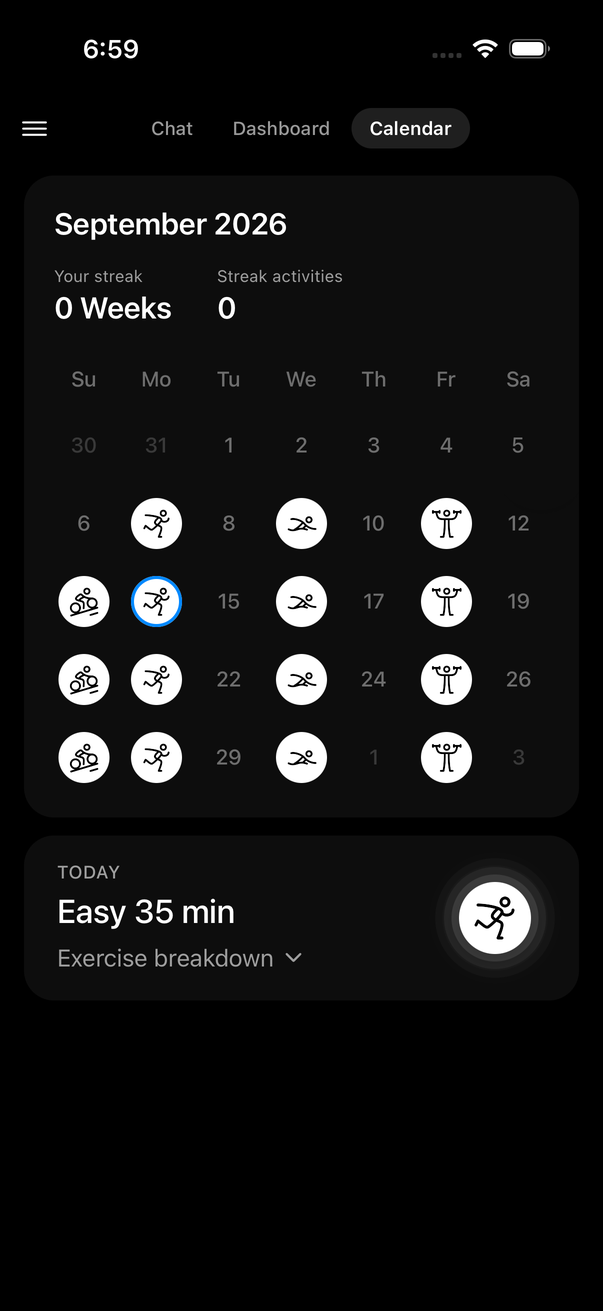
Your calendar, once the plan is in — runs, swims, rides, strength
How it works
A PDF, a photo of a spreadsheet, a page from a book. Zone6 reads it and puts every session on your calendar on real dates — exactly as written, nothing invented.
Missed a session, got a match on Thursday, need the long run on Sunday — tell Zone6 in chat. The days around it are rebalanced while you read the reply.
Today’s session in one tap, each exercise as a checklist, and every phase to your goal on a single path. Tick it, and everything updates together.
Static → alive
Nothing about the training changes. Everything about following it does.
Flat rows. No “today”. No idea what changed.
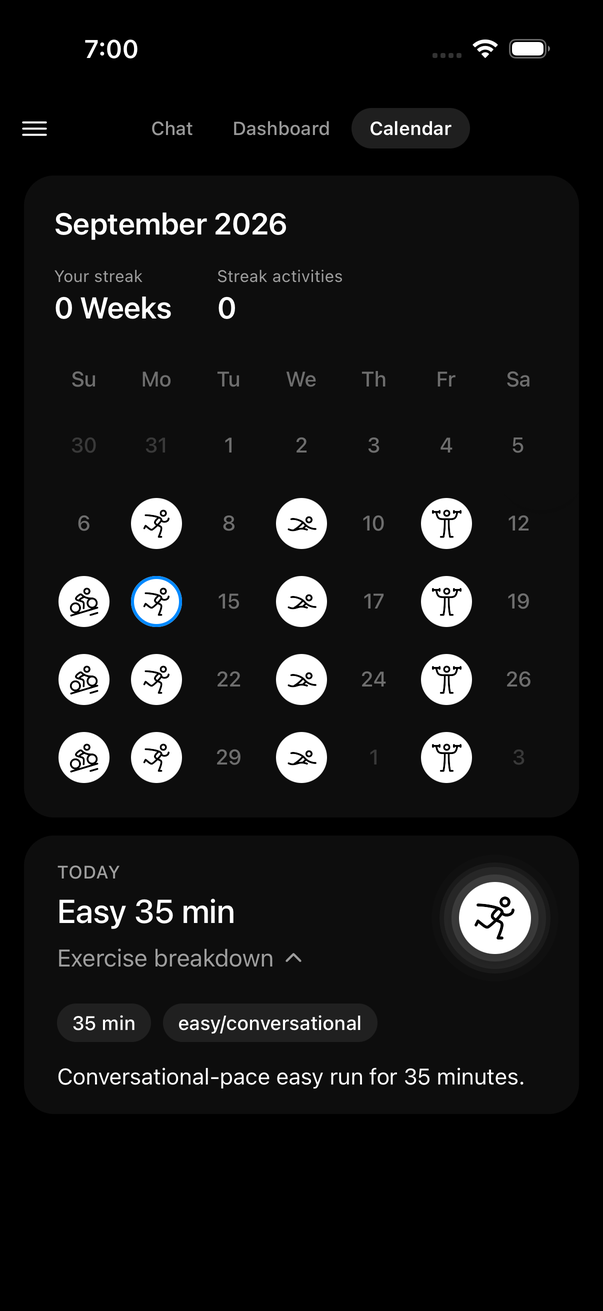
Today in one glance. Moved around your week, automatically.
A missed session, a heavy week at work, a wedding on Saturday — tell Zone6 and it rebalances the days around it on the spot, and tells you why.
No spreadsheet to decode, no PDF to scroll. A symbol on every training day, today’s session as a checklist, every phase to your goal on one line.
Sound familiar?
What people say about the PDF their coach sent, the TrainingPeaks calendar, the spreadsheet template — and what Zone6 does about each one.
Miss one session and the whole week feels thrown off.
Zone6 reshuffles the week around what actually happened. The load stays in. The guilt doesn’t.
Plans are hard to read and easy to ignore.
A simple visual path you actually enjoy checking each morning — today’s session, each exercise as a checklist, done in one tap.
Every change means re-reading the whole PDF to work out what still applies.
The plan lives on your calendar. When something changes, Zone6 rewrites only the days it touches — you never open the document again.
A work trip, a wedding, a football match — and the plan just sits there.
Tell it in chat. The event goes on your calendar and the days around it rebalance while you read the reply.
I have a question about Tuesday’s session and the coach who wrote it replies on Thursday.
Ask anything about your plan — what a session means, how hard, what if — and get an answer in seconds, in your language.
See it in action
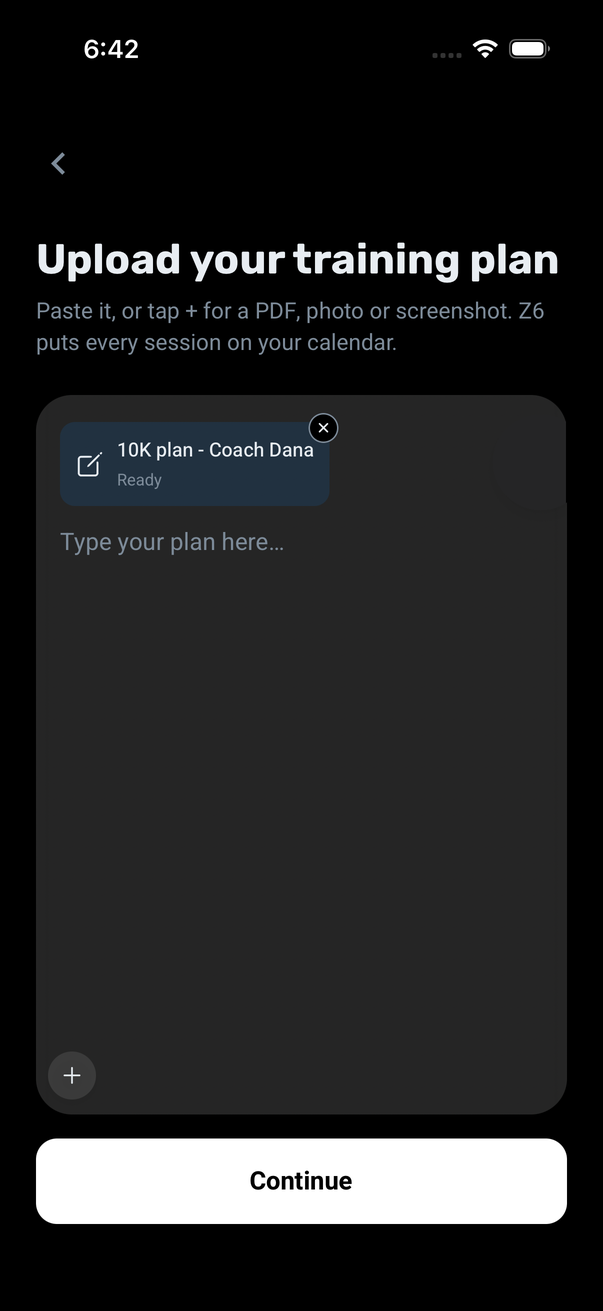
Paste it, or add a PDF, a photo or a screenshot. Zone6 reads it, confirms the goal and start date with you, and puts every session on your calendar on real dates.
A symbol on every training day, today’s session in a card underneath, and the exercise breakdown as a checklist. Tap the circle when it’s done.
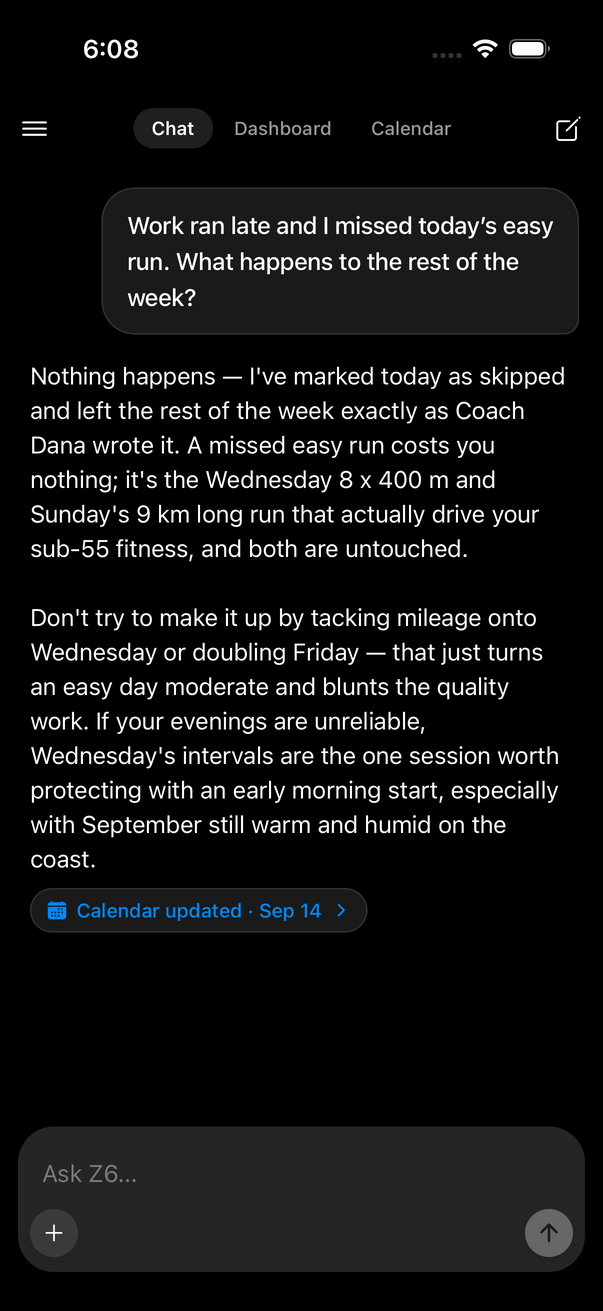
Missed a run, got a match on Thursday, want the long run on Sunday — tell Zone6. It decides what that means for the rest of the week and updates the calendar while you read the reply.
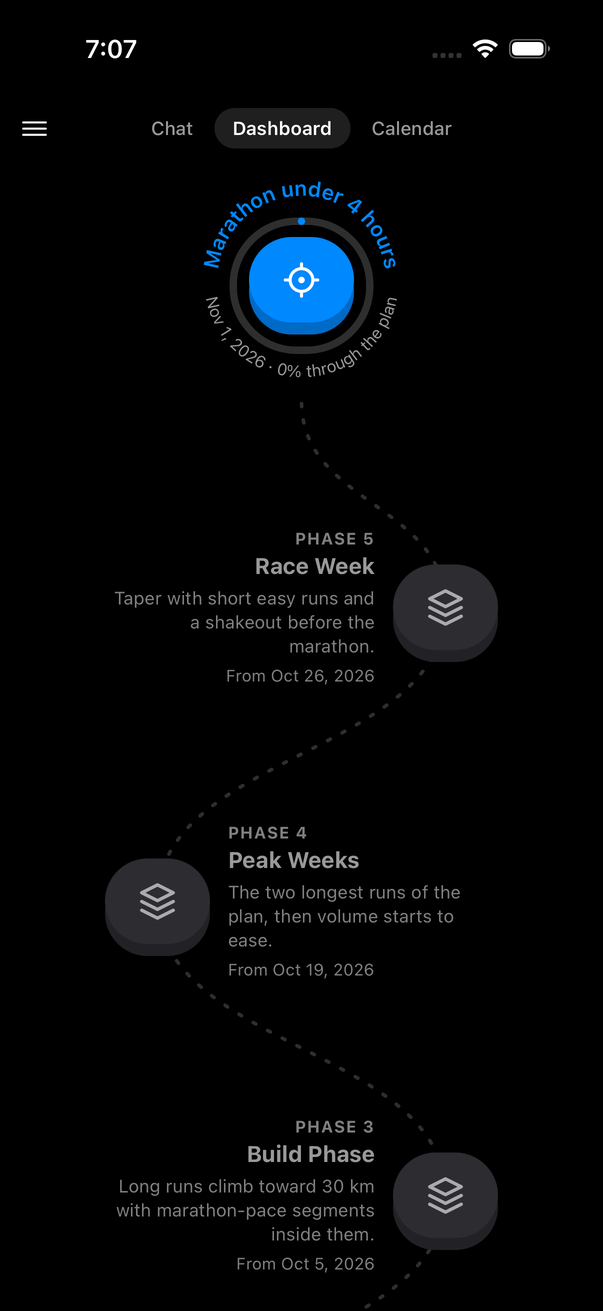
The goal at the top, every phase of your plan winding down to today. Progress you can see at a glance, not a percentage to work out.
Also in the app
Connect Zone6 to Claude once, then build your plan and change your calendar just by asking Claude.
Meals and fueling notes land on the day as a checklist, right under the session.
An old knee, a preferred route, what worked last time — saved as you chat and used after.
Write in either. Zone6 replies in the language you used, and the whole app is available in both.
FAQ
Anything with a schedule of sessions: a coach’s PDF, a spreadsheet or a screenshot of one, a page from a book, a plan exported from another app. Running, cycling, swimming, strength or a mix.
Not on its own. It transfers your plan exactly as written, then adapts the days around what actually happens — a missed session, a bad night, a wedding — and tells you why. Days you set stay set.
Just the plan. Share it with Claude through the Zone6 connector, or upload it in the app — nothing else to type.
Nothing for the core: your plan in Zone6, built and changed from Claude through the Zone6 connector, with no trial and no expiry. Zone6 Pro adds Z6’s coach chat inside the app, faster plan imports, first access to new coaching features and a founding price kept for as long as you stay subscribed.
No. Zone6 is a coach, not a physician. It will tell you to see one for pain that changes how you move, chest symptoms, or anything that persists — it never diagnoses.
Yes. Zone6 replies in whatever language you write in, and the whole app is available in Hebrew and English.
Static in. Alive out.
Upload it and start. Zone6 is free, and the plan is the only thing it needs.
Bring my plan to lifeFree, for good · Pro is optional · iPhone
Get in touch
Send a message and we’ll get back to you by email.